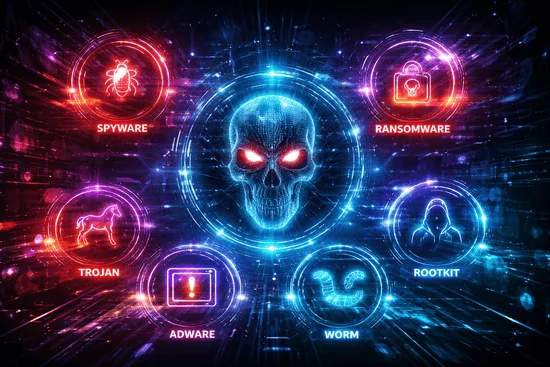

In 2026, most malware and ransomware attacks start through predictable entry points such as phishing emails, unsafe downloads, malicious websites, weak permissions, and social engineering attacks. Cybercriminals exploit trust, urgency, and weak security controls to infect systems and steal data. Understanding how malware spreads is critical for preventing cyber attacks. This guide explains common malware infection paths, why users get compromised, and what organizations can do to reduce risk quickly using strong cybersecurity practices.
Malware infections rarely happen randomly—they follow repeatable patterns that organizations can identify and control.
What is the shortest answer to how malware infections start?
Most malware infections begin when a user or system trusts something it should not.
Common trust failures include:
- Clicking phishing emails
- Opening unsafe links
- Downloading infected software
- Accepting malicious permissions
- Using untrusted devices
Attackers exploit these behaviors because they are easy to scale and often bypass weak security controls.
Read also: SOAR Use Cases Part III
What are the most common malware and ransomware entry points?
Malware spreads through well-known attack vectors.
Common entry paths include:
- Phishing emails with malicious links or attachments
- Unsafe downloads, cracked software, and fake updates
- Compromised websites and drive-by downloads
- Over-permissioned applications and scripts
- Infected USB drives and removable media
- Social engineering attacks
Organizations must secure these entry points to reduce risk.
Read also: SOAR and Threat Intelligence Part II
Why phishing is the biggest source of malware infections?
Phishing remains the top cyber attack method because it targets human behavior.
Phishing works through:
- Urgency messages that pressure users
- Impersonation of trusted entities
- Malicious attachments and fake login pages
Users often act quickly without verifying authenticity.
Phishing prevention is one of the most important cybersecurity controls.
Read also: SOAR What Are You Looking For Part I
How unsafe downloads and installers infect systems?
Malware is often hidden inside software that appears legitimate.
Common examples:
- Trojanized installers that include hidden malware
- Cracked software and keygens containing ransomware
- Fake update prompts for browsers or software
Users should only download software from trusted sources.
Read also: NIST PRISMA 7358 Part I
Can malware infect a system just by visiting a website?
Yes, malware can spread without downloading anything.
Common methods include:
- Malvertising (malicious advertisements)
- Drive-by downloads from compromised websites
- Exploit kits targeting outdated browsers
- Fake login pages stealing credentials
Keeping systems updated reduces this risk.
Read also: NIST Implementation Guide
How permissions and endpoint security increase infection risk?
Weak endpoint security makes attacks easier.
Common issues include:
- Excessive admin privileges
- Unrestricted script execution
- Delayed patch updates
These allow malware to:
- Disable security tools
- Spread across systems
- Execute harmful scripts
Least privilege access is critical for security.
Read also: Risk Based Authentication Part I
How USB and removable media spread ransomware?
Removable devices can introduce malware directly into systems.
Common risks:
- Auto-run malicious scripts
- Infected files on USB drives
- Malware spreading through shared drives
Organizations should control and monitor removable media usage.
Read also: How to Protect Against Malware Part IV
What are early signs of malware infection?
Early detection helps reduce damage.
Common signs include:
- High CPU, memory, or network usage
- Unknown processes or applications
- Disabled security tools
- Encrypted or inaccessible files
- Suspicious login activity
Users should report these signs immediately.
Read also: How to Detect Malware Infection Part III
What should organizations do in the first 30 days to reduce risk?
A structured approach can reduce risk quickly.
Days 1–10:
- Improve phishing awareness
- Block risky attachments
- Strengthen email security
Days 11–20:
- Remove unnecessary admin access
- Restrict software installation
- Patch vulnerabilities
Days 21–30:
- Harden endpoints
- Test backups
- Run ransomware response drills
Organizations can significantly reduce risk within 30 days.
Read also: How Malware Infection Happens
Conclusion
In 2026, malware and ransomware attacks continue to exploit common entry points such as phishing emails, unsafe downloads, weak permissions, and compromised websites. Most infections occur due to trust failures and lack of security controls rather than advanced technical attacks. Organizations must focus on phishing prevention, endpoint security, access control, and patch management to reduce risk. By understanding how malware spreads and implementing strong cybersecurity practices, businesses can prevent infections, protect sensitive data, and improve overall security posture.
If you would like guidance on strengthening your DPDP compliance framework or understanding how governance, risk, and compliance tools can support your organization, feel free to contact us for assistance.
You can also visit our website to explore how modern GRC platforms help organizations manage data protection, risk management, and regulatory compliance in a more structured and scalable way.
FAQ
The most common way malware spreads is through phishing emails that trick users into clicking malicious links or downloading infected attachments.
GRC Insights That Matter
Exclusive updates on governance, risk, compliance, privacy, and audits — straight from industry experts.
Related Posts